
Screenshots
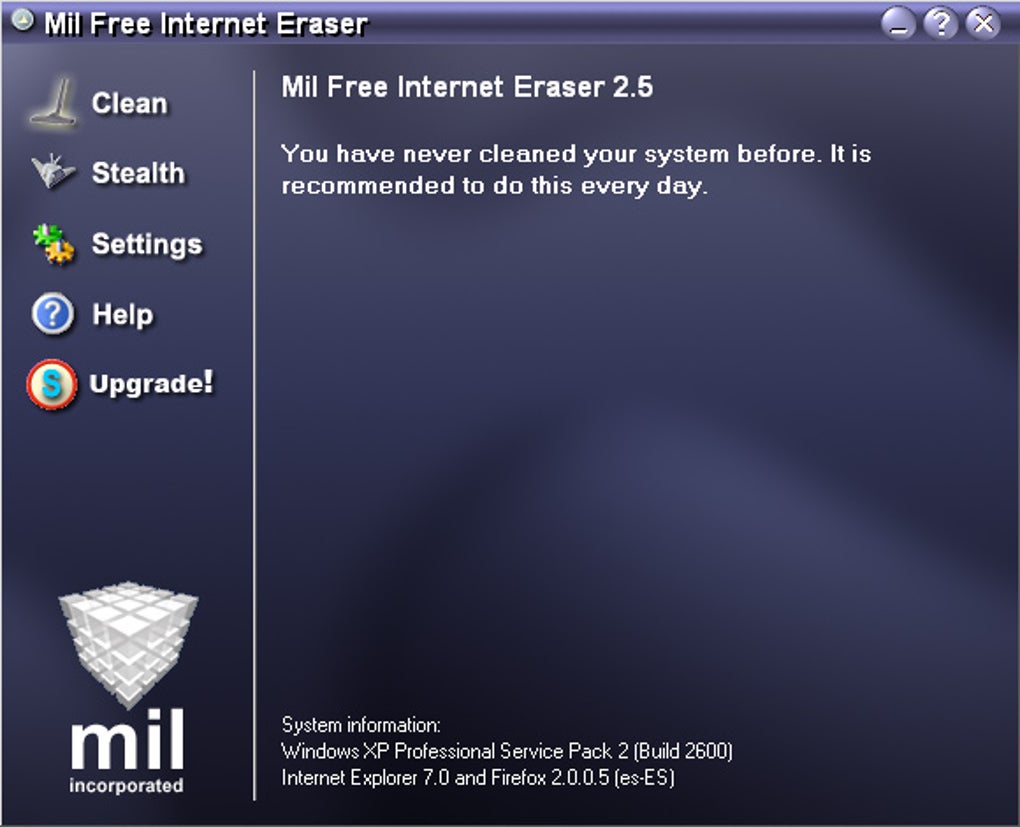
App details
- Version
- 3.1
- Size
- 1.72 MB
- Updated
- December 1, 2009
- Requires
- Windows XP
- Language
- English
- License
- Free
- Developer
- Milincorporated
- Category
- Windows OS
SoftPas in:
This product is also available in the following languages:
About Mil Free Internet Eraser
Download Mil Free Internet Eraser – Secure Privacy Cleaner for Windows & Mac
Overview
In an age where every click, search, and download leaves a digital footprint, maintaining privacy has become a daily concern for both casual browsers and power users. Mil Free Internet Eraser steps in as a lightweight yet powerful tool designed to wipe away traces of your online activity with just a few clicks. Whether you’ve been browsing sensitive research, sending confidential emails, or simply want to prevent the occasional embarrassment from an accidentally left‑open browser tab, this software offers a quick and reliable solution.
The program works by scanning the hard drive for a wide range of trace files – from cookies and temporary internet files to the notorious index.dat file that stores a history of visited web pages. Once identified, Mil Free Internet Eraser securely deletes these artifacts, ensuring that they cannot be recovered by casual snooping tools or forensic software.
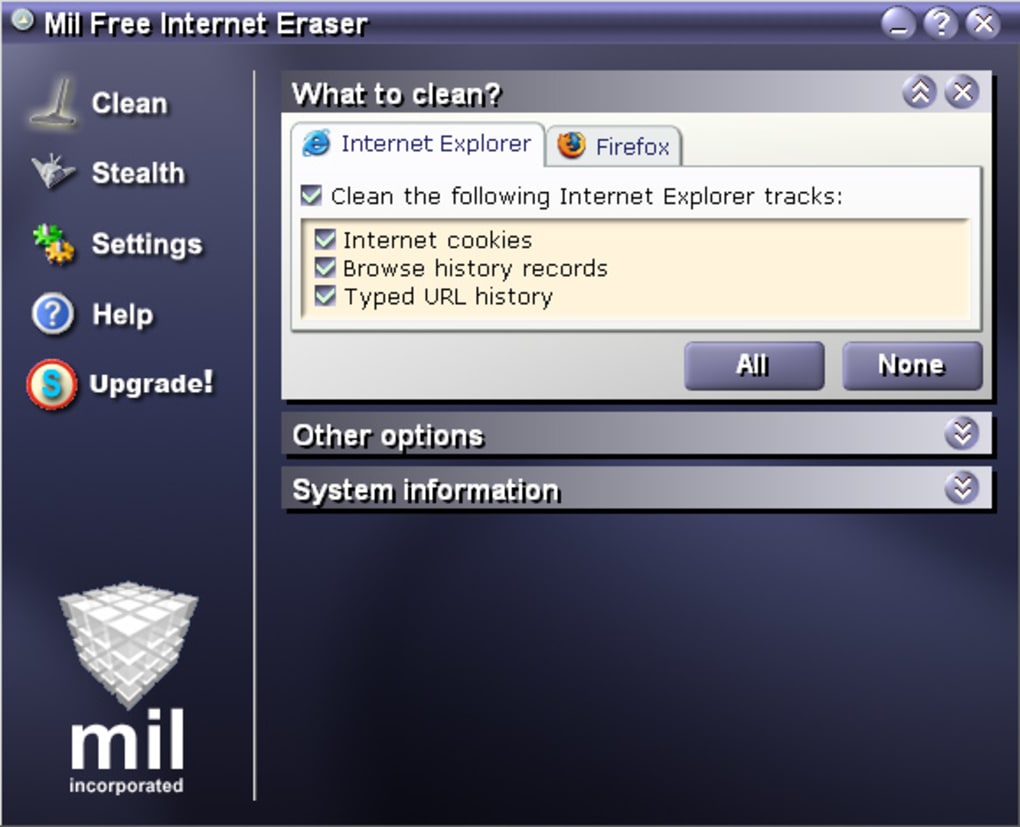
One of the standout features is its flexibility. Users can choose to run a manual clean‑up whenever they feel the need, or they can schedule automatic sweeps at regular intervals, keeping the system pristine without any extra effort. The interface is straightforward, presenting options in clear categories so even non‑technical users can personalize which file types to keep (such as essential cookies for trusted sites) and which to discard.
While the primary focus is privacy, the tool also contributes to system performance. By removing accumulated temporary files, it frees up disk space and can speed up browser launch times. The application is free to download, operates without intrusive ads, and promises regular updates to stay compatible with the latest browser versions. In short, Mil Free Internet Eraser offers a balanced mix of security, convenience, and performance enhancement for anyone who values a clean digital slate.
Key Features & Benefits
- Comprehensive Trace Removal: Scans and deletes cookies, cache, history, download logs, and
index.datfiles across all major browsers. - Manual & Automated Cleaning: Choose on‑demand cleaning or set scheduled tasks (daily, weekly, or monthly) to keep your PC spotless.
- Customizable Filters: Whitelist specific sites or file types you wish to retain, preventing accidental loss of needed data.
- Lightweight Engine: Consumes minimal CPU and memory, making it ideal for older machines or systems running multiple applications.
- Secure Deletion Algorithm: Overwrites files multiple times to meet industry‑standard data‑sanitization guidelines.
- Multi‑Browser Support: Compatible with Chrome, Firefox, Edge, Opera, and Internet Explorer, ensuring no trace is left behind.
- Free Updates: Regular patches keep the eraser effective against new browser storage methods and emerging privacy concerns.
- Simple User Interface: One‑click clean button, clear progress indicators, and an intuitive settings panel for beginners.
Installation, Usage & System Compatibility
Getting started with Mil Free Internet Eraser is as straightforward as the tool itself. Follow these steps to install and configure the software on your Windows or macOS device:
- Download the Installer: Visit the official website and click the “Download for Windows” or “Download for macOS” button. The file size is under 5 MB, ensuring a quick download even on slower connections.
- Run the Installer: Double‑click the downloaded
.exe(Windows) or.dmg(Mac) file. The installer guides you through a standard setup wizard – accept the license agreement, choose an installation folder (the default works for most users), and click “Install”. - Launch the Application: Once installed, open Mil Free Internet Eraser from the Start menu (Windows) or the Applications folder (Mac). The first launch may prompt you to grant administrator rights; this is necessary for the tool to access system‑level trace files.
- Configure Cleaning Preferences: In the Settings tab, you’ll find checkboxes for each file category (Cookies, Cache, History, etc.). Turn on the items you want to purge. Use the “Whitelist” feature to protect cookies from essential sites like banking portals.
- Choose Cleaning Mode:
- Manual Clean: Click the prominent “Clean Now” button whenever you need an instant sweep.
- Scheduled Clean: Enable the scheduler, set the frequency (daily, weekly, monthly), and select a preferred time (e.g., 2 AM) when the system is idle.
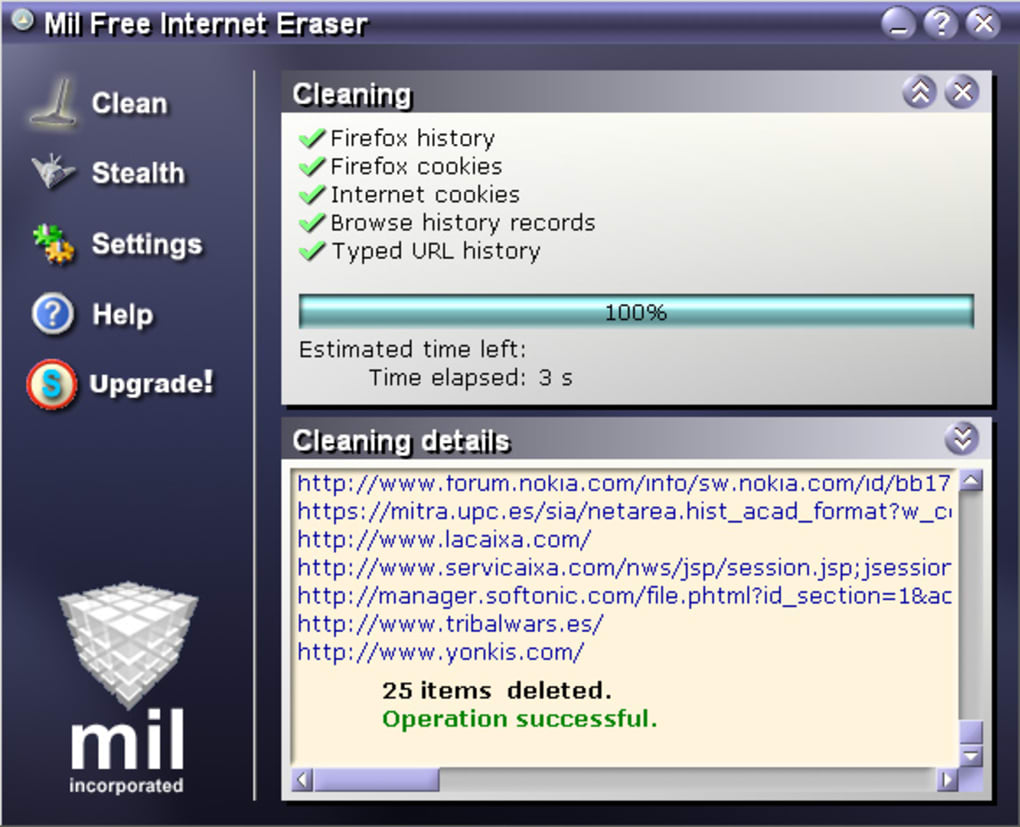
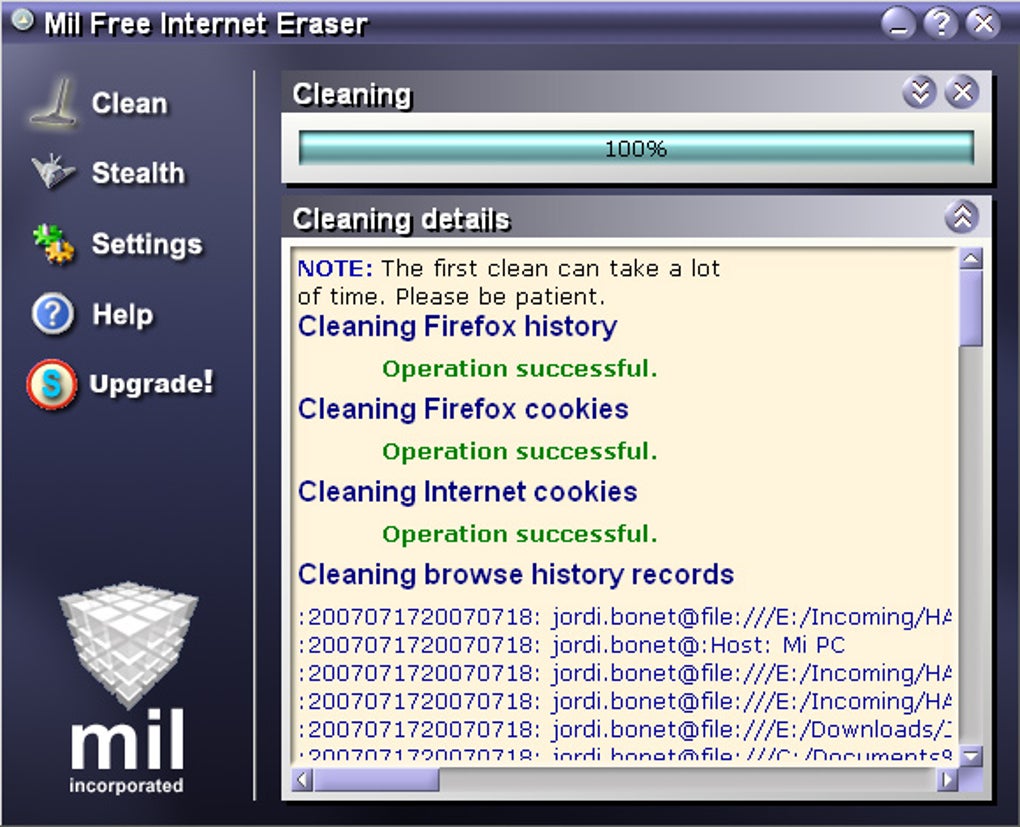
- Review Results: After each run, a summary window lists the number of files removed and the amount of disk space reclaimed. You can export this log for personal records or compliance purposes.
Supported Operating Systems: Mil Free Internet Eraser runs on Windows 7, 8, 8.1, 10, and 11 (both 32‑bit and 64‑bit) as well as macOS 10.12 Sierra and newer. The application does not currently support Linux or mobile platforms, but a lightweight Android version is under development.
Pros, Cons, FAQ & Final Verdict
Pros
- Free to download and use with no hidden fees.
- Fast cleaning process – most scans finish in under a minute.
- Low system resource usage; safe for older computers.
- Both manual and automated cleaning options give flexibility.
- Secure overwrite algorithm meets data‑sanitization standards.
- Regular free updates keep the tool compatible with new browsers.
Cons
- Limited to Windows and macOS; no native Linux or iOS version yet.
- Advanced users may desire deeper registry cleaning features not currently offered.
- UI, while simple, lacks dark‑mode support for low‑light environments.
Frequently Asked Questions
Is Mil Free Internet Eraser really free?
Yes, the core application is completely free. There are no hidden charges, and the developer funds updates through optional donations.Can I recover deleted files if I change my mind?
Mil Free Internet Eraser uses secure overwrite, making recovery virtually impossible. If you need to keep certain data, use the whitelist feature before cleaning.Does the program affect browser performance?
On the contrary, by removing accumulated cache and cookies, the tool often improves page load times and reduces browser lag.How often should I run a clean‑up?
For most users, a weekly automated sweep is sufficient. Heavy users or those handling sensitive data may prefer daily cleaning.Is the software safe from malware?
The installer is digitally signed, and the program is regularly scanned by third‑party antivirus vendors. It does not contain adware or spyware.Conclusion – Should You Download Mil Free Internet Eraser?
If privacy, system tidiness, and ease of use are high on your priority list, Mil Free Internet Eraser delivers a solid, no‑cost solution. Its ability to target a broad spectrum of trace files, combined with flexible scheduling and a user‑friendly interface, makes it a practical choice for both novices and seasoned privacy advocates. While the lack of a Linux version and some advanced registry cleaning options might disappoint power users, the core functionality remains reliable and well‑maintained.
In an environment where data breaches and accidental exposure are common, taking a few seconds to erase your browsing footprints can save you embarrassment and protect sensitive information. The program’s lightweight design ensures it won’t bog down your system, and the regular free updates keep it current with the latest browser technologies.
Bottom line: Download Mil Free Internet Eraser today, run an initial clean, and set up a weekly schedule – you’ll enjoy a cleaner, faster PC and the peace of mind that comes from knowing your online activity isn’t left lying around for anyone to find.
Guides & Tutorials
How to install Mil Free Internet Eraser
- Click the Download button above.
- Once redirected, accept the terms and click Install.
- Wait for the Mil Free Internet Eraser download to finish on your device.
How to use Mil Free Internet Eraser
This software is primarily used for its core features described above. Open the app after installation to explore its capabilities.
User Reviews
No reviews yet. Be the first to share your experience.
You may also like
more
Llama 2
Free-to-use large language model As the new addition to Meta’s arsenal of langua...

NotebookLM
Revolutionizing the note-taking and idea-generation process NotebookLM is an exp...

Github co pilot
AI-inspired software development and coding platform GitHub Copilot is a browser...

Google Gemma
Google’s lightweight AI models Introducing Google Gemma , a family of cutting-ed...

AI Image Enlarger
A free app for Windows, by ai-image-larger. AI Image Enlarger is a free software...

DALL E
AI-driven text-to-image transformation engine DALL·E is a free graphic and desig...